Search North Carolina Court Records With AI
Court Delta’s new MCP server lets compatible AI assistants search North Carolina court records, hearing dates, attorneys, judgments and more using live public court information.

If you have ever tried to search North Carolina court records, you know the process can take some work. You need to know which court system to use, what information to enter and how to interpret the results once you find them.
Court Delta has been working to make that process easier. Now there is another way to access the same types of public court information: through an AI assistant.
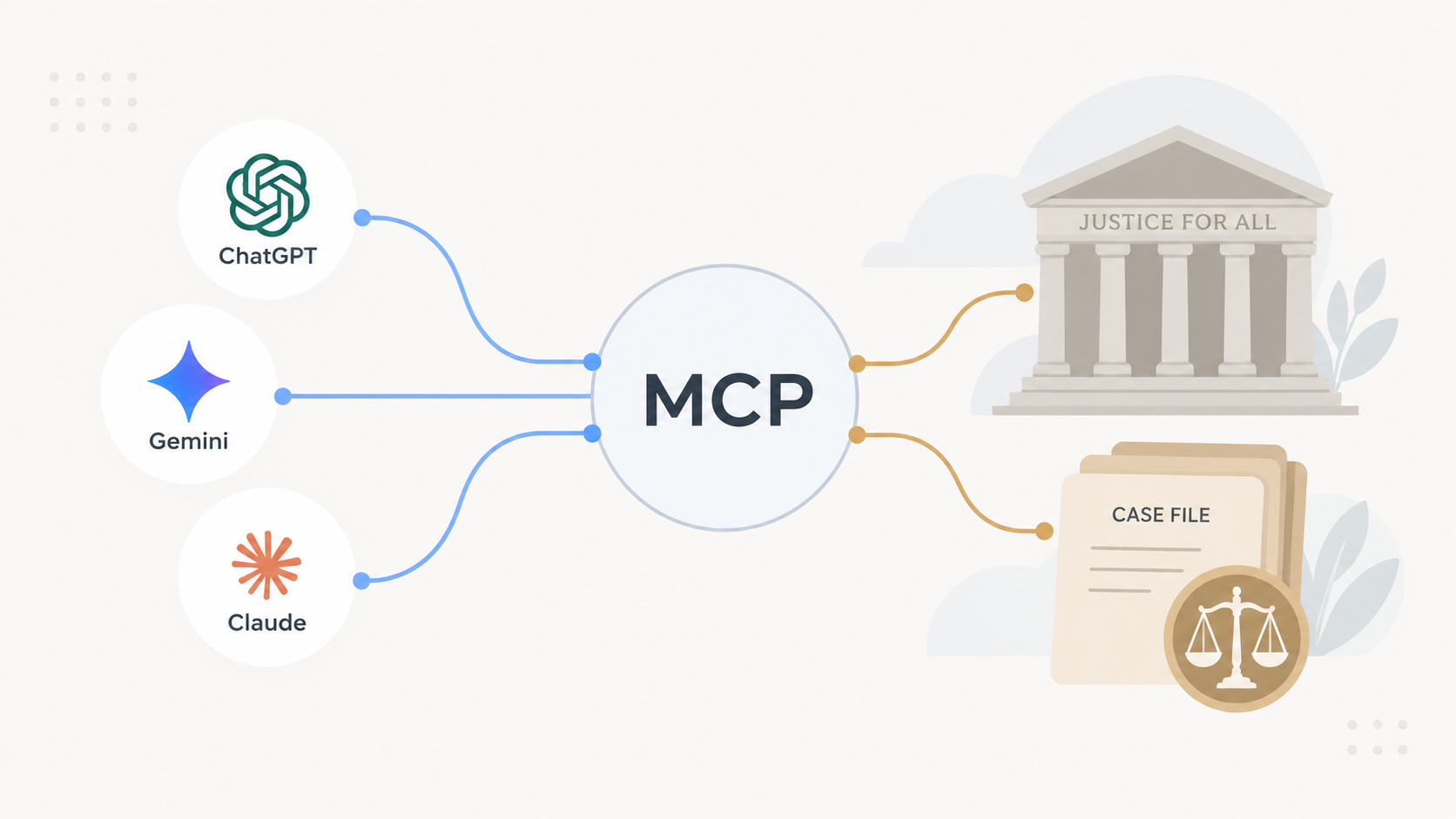
Court Delta’s new Model Context Protocol, or MCP, server allows compatible AI applications to connect directly to Court Delta’s court-search tools. Instead of navigating through a series of search screens, you can ask a question in plain English and let the AI assistant perform the appropriate lookup.
Here is how it works and what you can do with it.
What Is the Court Delta MCP Server?
MCP stands for Model Context Protocol. It is an open standard that allows AI applications to connect to outside tools and data sources.
In practical terms, it gives an AI assistant a way to do more than answer general questions from its existing knowledge. When Court Delta is connected, the assistant can use Court Delta’s tools to perform an actual court-record search.
For example, you could ask:
“When is the next court date for case 26CR031353-910?”
The assistant can recognize that you are asking about a specific case, use Court Delta to look it up and return the relevant information in the conversation.
The same idea applies to broader searches. You could ask whether a person has cases in Wake County, look for cases involving a business, search judgments or review an attorney’s upcoming hearing calendar.
The important difference is that the AI is not being asked to guess the answer. It is being given a tool it can use to retrieve the underlying public court information.
What Can You Search With Court Delta?
The Court Delta MCP server supports several types of North Carolina court-record searches.
If you already know a case number or citation number, you can look up the case directly. If you only know a person’s name, you can search for cases associated with that person in a particular county. Court Delta also supports business searches, attorney searches, hearing-calendar lookups and judgment searches.
That opens up some useful questions that are more natural to ask in a conversation than to translate into a traditional database search.
An individual might ask:
“When is my next court date?”
An attorney could ask:
“What hearings do I have in Wake County this week?”
Someone researching a company might ask:
“Are there any court cases involving this business?”
Court Delta also includes tools designed around common court-related questions, including traffic citations, driver’s license points, possible expunction options and courthouse information.
You can see the current tool list and connection instructions on the Court Delta MCP page.
Why Use AI to Search Court Records?
Traditional court-record systems are built around forms and search fields. That works when you already know exactly what you are looking for, but people do not always think in terms of database fields.
They think in questions.
Someone may know that they need to be in court but not know their case number. An attorney may want to see everything on the calendar for a particular week. A business owner may want to check whether a company appears in civil cases or judgments.
An AI assistant provides a different interface for those searches. You describe what you want to know, and the assistant can determine which Court Delta tool is appropriate.
That does not replace the underlying court data. It simply changes how you interact with it.
Instead of learning the structure of each search system, the AI assistant can handle the mechanics of the lookup and bring the results back in a format that is easier to review.
Court Delta for Attorneys and Legal Professionals
This becomes especially useful when you need to search more than one case.
Attorneys routinely work across multiple clients, counties and court dates. Looking up each case individually can mean repeating the same searches throughout the day.
With Court Delta connected to an AI assistant, an attorney could search for cases associated with a person, review matters tied to another attorney, check upcoming hearings or search judgments without moving between as many separate interfaces.
The AI can also help organize the information after Court Delta returns it. For example, you could ask for hearing results to be grouped by day or for several case searches to be summarized together.
Court Delta’s attorney platform also includes tools for monitoring multiple cases over time, including bulk case tracking and alerts when court information changes. The MCP server adds another way to access and work with that information.
Why Court Delta Built an MCP Server
Court Delta started with a straightforward goal: make North Carolina court dates and public court information easier to find and keep up with.
That need has not changed, but the way people use the web is changing.
For years, finding information online meant visiting a website, finding the right page, filling out a search form and reviewing the results yourself. AI assistants are starting to create another model where you can describe the task and let the assistant interact with the appropriate tools.
Court information is a good example of where that can be useful. Most people are not trying to “search a database.” They are trying to answer a specific question about a case, court date, person or business.
MCP gives Court Delta a way to make its court-search capabilities available inside the AI tools people are already using.
Rather than building another standalone chatbot, Court Delta can provide the underlying court tools and let compatible AI applications use them.
How to Try the Court Delta MCP Server
The Court Delta MCP server is available now for compatible AI clients and agent applications.
Once it is connected, the AI application can discover the available Court Delta tools and select the appropriate one based on your request. A question about a case number can trigger a case lookup, while a question about an attorney’s schedule can use the hearing-calendar search.
Developers can also connect their own agent applications to the server and build court-record workflows on top of Court Delta’s tools.
The full setup instructions, example questions and current list of available tools are on the Court Delta MCP page.
Explore the Court Delta MCP Server
Court Delta is a private tool built on publicly available North Carolina court records. Court Delta is not affiliated with, endorsed by or connected to the North Carolina Courts or the North Carolina Administrative Office of the Courts. Court information can be delayed or incomplete, and Court Delta does not provide legal advice. For authoritative information about a case, contact the appropriate Clerk of Superior Court.